
All screenshots
Control panel guide
Scrolling text
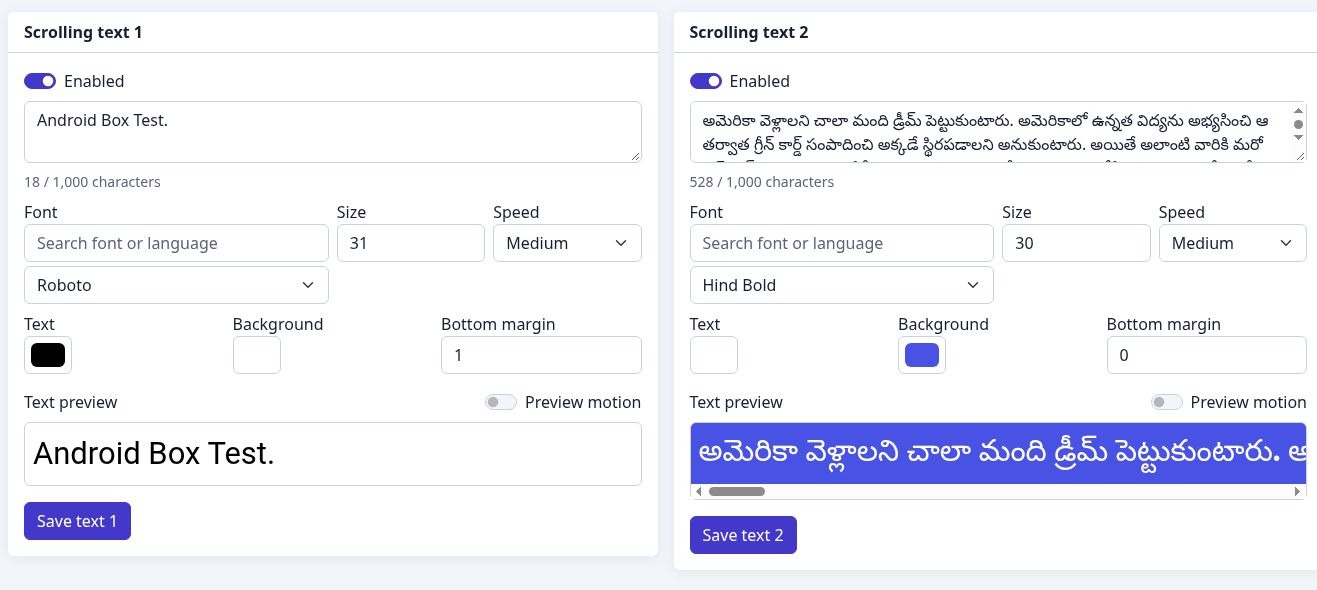
Style two texts with fonts, colours and motion. Select a numbered marker to read its explanation.
- 1
Two independent texts
Each panel has its own enabled switch and text field, with a maximum of 1,000 characters.
- 2
Font, size & speed
Search by font or language, set the font size, and choose a scrolling speed.
- 3
Colours & position
Choose text and background colours. Bottom margin sets the text position above the lower edge.
- 4
Preview & save
Check the appearance in the preview, enable preview motion if needed, then save the corresponding text.
- 5
Second text panel
Configure the second text independently from the first.